
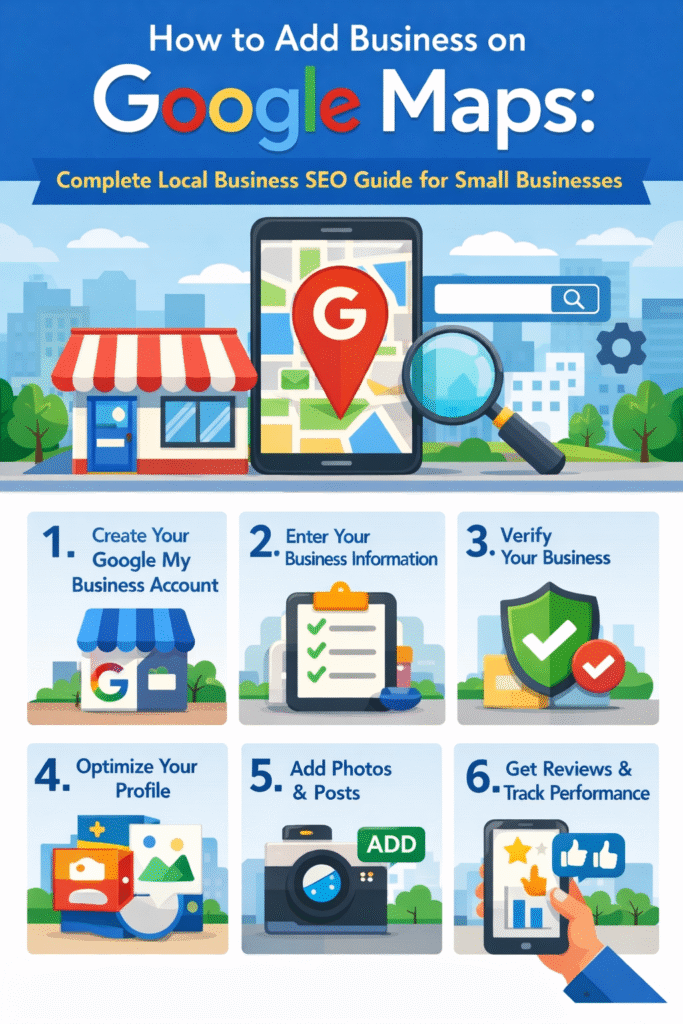
If you run a small business and want more customer from your local area getting your business on Google Maps is one of the most powerful things you can do. Many people search for services like restaurants shops or freelancer directly on Google and the business that appear on the map usually get more calls and visits.
In this guide you will learn how to add your business on Google Maps easily. This article also works as a simple local business seo guide to help you improve your visibility and get more customer online.
Why Google Map Important for Your Business
Before adding your business, you need to understand why Google Maps matters.
When someone searche for a service near them, Google shows a map with top businesses. This is called the local pack If your business is listed there you can get:
- More local visibility
- More phone calls
- More website visits
- More walk in customers
That is why every small business owner should follow a proper local business seo guide to rank better on Google Maps.
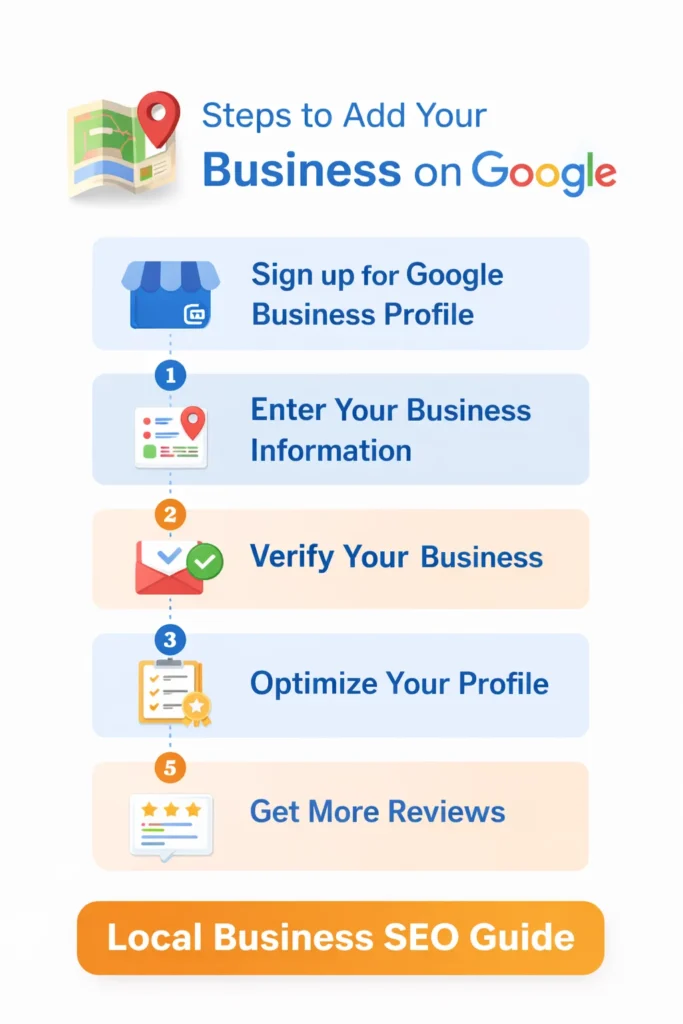
Step 1: Create a Google Business Profile
appear on Google Maps you need Google Business Profile.
Go to Google and search for Google Business Profile and click on the official site. Then click on Manage Now and sign in using your Gmail account.
After signing in, enter your business name. If your business already exist you can claim it. If not you can create new list.
Step 2: Enter Your Business Details
Now you need to fill in your business information carefully. This is important for your rank.
Add details like:
- Business name
- Business category
- Address
- Service area
- Phone number
- Website link
Make sure everything is correct and matches your website and social media. Consistency is key part of local business seo guide.
Step 3: Choose Right Business Category
Select the correct category help Google understand your business.
- If you run a bakery choose bakery
- If you are a digital marketer, choose digital marketing service
You can also add secondary category to improve visibility. This step is often ignore but it plays a big role in local SEO.
Step 4: Add Location on Google Maps
If you have a physical store enter your exact address. Google will place a pin on the map.
If you provide services at customer locations, you can hide your address and add service areas instead.
Make sure your map location accurate. This helps customer find you easily and improve your chance of ranking higher.
Step 5: Verify Your Business
Google need to verify your business before showing it publicly.
You will get verification options like
- Postcard by mail
- Phone verification
- Email verification
Most businesses use postcard verification. It may take a few days Once you enter the codeyour business will go live on Google Map.
Step 6: Optimize Your Business Profile
After verification, your work is not finished. You need optimize your profile rank higher.
Here are some important steps
Add Business Description
Write a clear and simple description of your business. Include your services and location naturally.
Upload Photos
Add high quality image of your business product or service. Profiles with images get more clicks.
Add Business Hours
Keep your opening and closing times updated.
Add Services
List all your services with descriptions.
This optimization process is a key part of a successful local business seo guide.
Step 7: Get Customer Reviews
Review are one of the biggest ranking factor for Google Maps.
Ask your happy customer to leave review. More positive reviews help you:
- Build trust
- Rank higher
- Get more customers
Also reply to every review. This show that are active and professional.
Step 8: Post Regular Updates
Google allows you to post updates on your business profile.
- Offers
- News
- Events
- New services
Regular update keep your profile active improve your visibility.
Step 9: Use Keywords Naturally
To rank higher use relevant keywords in your profile.
For example:
- Local SEO services
- Digital marketing in Kerala
- Best bakery near me
But do not overuse keywords. Keep everything natural. A smart keyword strategy is always part of a strong local business seo guide.
Step 10: Build Local Citations
Citations mean listing your business on other websites like directories.
Examples include:
- Business listing sites
- Local directories
- Social media profiles
Make sure your business name address phone number are same everywhere. This improve your credibility in Google eye
Many people make mistakes while adding their business. Avoid these
- Wrong business information
- Using fake locations
- Ignoring reviews
- Not updating profile
- Keyword stuffing
Following the correct steps in this local business seo guide will help you avoid these problems.
How to Improve Your Google Map Rank After Listing
Add your business to Google Maps is only the first step. If you want to appear at the top when people search you need to actively improve your ranking. This is where a strong local business seo guide becomes very useful.
Google uses multiple factors to decide which businesses to show first. These include relevance distance and prominence. You cannot control distance but you can improve other two.
Start by making your profile as complete as possible. Business with full information are more likely to rank higher. Add service description image and keep everything updated regularly.
Another important factor is consistency. Your business name address and phone number should be the same across all platform. This builds trust with Google and improves your ranking over time.
Importance of Photos and Visual Content
Many business owners ignore images but they play a big role in attracting customers
Profile with high quality photos get more clicks and engagement. When people see real image of your business they feel more confident about choosing you.
You can upload:
- Storefront images
- Interior photos
- Product images
- Before and after service images
Try to upload new photos regularly. This shows Google that your business is active. According to many local business seo guide strategies, active profiles perform better in search results.
How Local SEO Helps Small Business Grow
Local SEO not just about ranking. It is about connecting with people who are already searching for your service.
When someone searches for a service near them, they usually have high intent. That means they are ready to take action. If your business appears at that moment, you have a higher chance of getting a customer.
This is why following a proper local business seo guide is important for long term growth. It helps you:
- Reach targeted customers
- Build trust in your area
- Increase website traffic
- Improve conversions
Even small improvement local SEO can make big difference your business growth.
Using Posts and Offers to Attract Customers
Google Business Profile allows you to create posts, which many businesses ignore. These posts can help you attract more attention.
You can post about:
- Special discounts
- New services
- Seasonal offers
- Business updates
When users see active updates, they are more likely to choose your business. Regular posting is also recommended in every local business seo guide because it improves engagement and visibility.
Tracking Your Performance
Once your business is live and optimized, you should track your performance.
Google Business Profile provides insights such as:
- How many people viewed your profile
- How many clicked your website
- How many called your business
- How people found your listing
These insight help you understand what is working and what need improvement.
For example if you are getting view but no calls you may need better photos or reviews. If you are not getting views you may need better keyword optimization.
Track your data is important step in any local business seo guide because it helps you make better decision.
Final Thoughts
Adding your business Google Map is one of easiest and most effective ways to grow your local presence. It does not require technical skills, but it does require consistency and proper optimization.
If you follow all the steps mentioned in this guide you can improve your chances of ranking higher and getting more customers.
HOME https://shimmna.https://shimmna.com/com/